
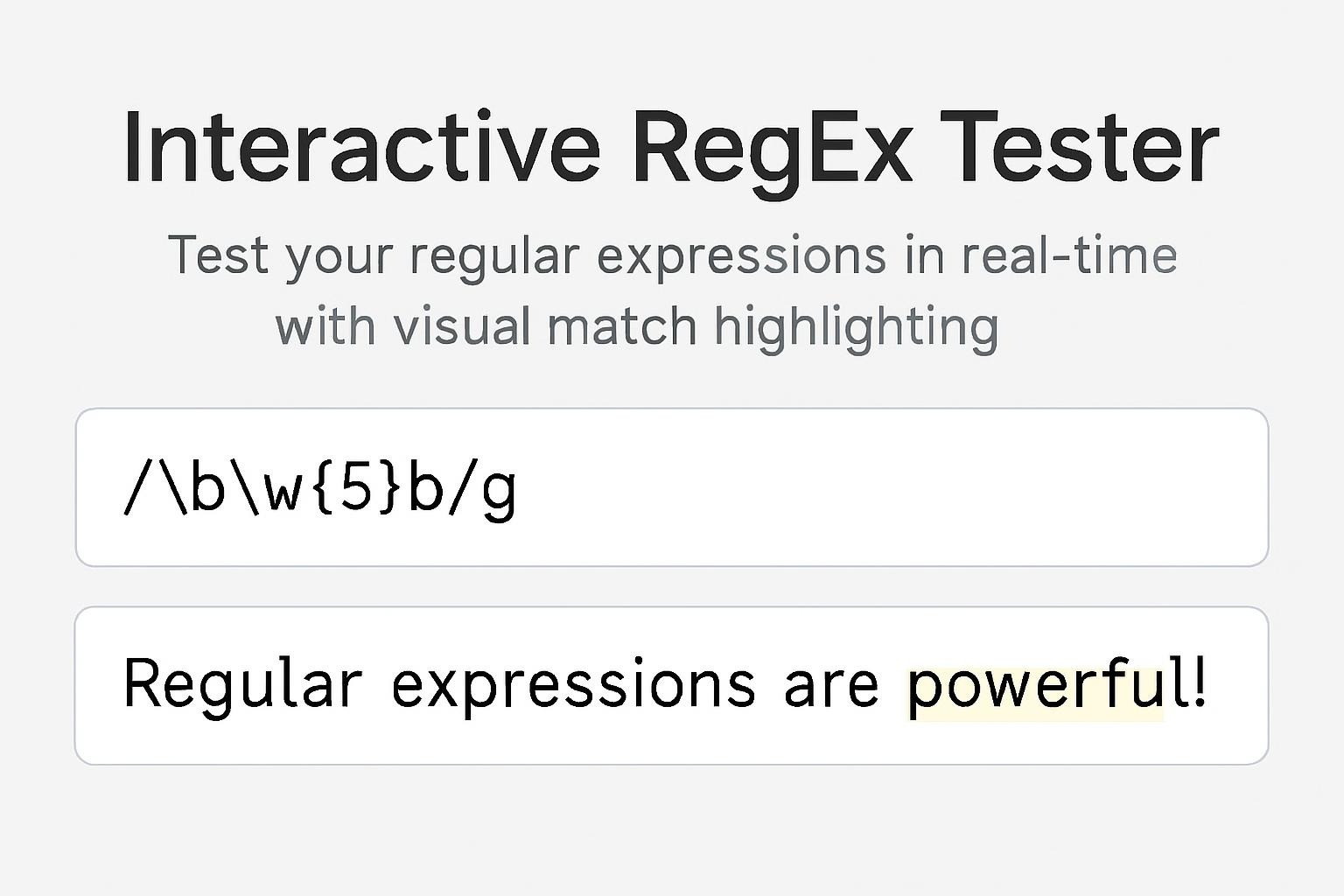
🔍 Interactive RegEx Tester
Test your regular expressions in real-time with visual match highlighting
Results
\d (digits), \w (word characters), \s (whitespace), or . (any character). Try flags like ‘g’ for all matches or ‘i’ for case-insensitive matching.
Master Regular Expressions: Interactive Guide and Cheat Sheet
Regular Expressions (RegEx) are powerful pattern-matching tools that allow you to search, validate, and manipulate text with precision. Whether you’re validating email addresses, extracting data from logs, or cleaning up messy text files, RegEx is an essential skill for developers, data analysts, and anyone working with text processing.
What is Regular Expression?
A regular expression is a sequence of characters that defines a search pattern. Think of it as a sophisticated “find” function that can match complex patterns instead of just exact text. For example, instead of searching for a specific email address, you can create a pattern that matches any email address.
How to Use the RegEx Tester
Our interactive RegEx tester above makes it easy to experiment and learn:
- Enter your pattern – Type your regular expression in the first field
- Choose flags – Enable options like case-insensitive or global matching
- Add test text – Paste or type the text you want to test against
- See results instantly – Matches are highlighted and listed in real-time
The tester shows you exactly what your pattern matches, making it perfect for learning and debugging complex expressions.
Essential RegEx Commands Reference
Here’s a comprehensive cheat sheet of the most commonly used RegEx patterns and what they do:
Character Classes
PatternDescriptionExampleMatches.Any single character (except newline)a.c"abc", "a5c", "a c"\dAny digit (0-9)\d\d\d"123", "007", "999"\DAny non-digit\D\D"ab", "XY", "!@"\wAny word character (a-z, A-Z, 0-9, _)\w+"hello", "user_123"\WAny non-word character\W" ", "!", "@", "%"\sAny whitespace (space, tab, newline)\s+" ", " ", "\t"\SAny non-whitespace\S+"hello", "123"
Anchors
PatternDescriptionExampleMatches^Start of string/line^Hello"Hello world" (at start)$End of string/lineworld$"Hello world" (at end)\bWord boundary\bcat\b"cat" in "the cat" but not "category"\BNot a word boundary\Bcat"cat" in "category" but not "the cat"
Quantifiers
PatternDescriptionExampleMatches*0 or more timesab*c"ac", "abc", "abbc", "abbbc"+1 or more timesab+c"abc", "abbc", "abbbc" (not "ac")?0 or 1 time (optional)colou?r"color", "colour"{n}Exactly n times\d{3}"123", "007", "999"{n,}n or more times\d{2,}"12", "123", "1234"{n,m}Between n and m times\d{2,4}"12", "123", "1234" (not "1" or "12345")
Groups and Ranges
PatternDescriptionExampleMatches[abc]Any character in set[aeiou]Any vowel[^abc]Any character NOT in set[^0-9]Any non-digit[a-z]Range of characters[a-zA-Z]Any letter(abc)Capture group`(catdog)`(?:abc)Non-capturing group`(?:MrMs).``ab`Alternation (OR)`cat
Special Sequences
PatternDescriptionExampleMatches\nNewlineline1\nline2Text with line break\tTabcol1\tcol2Tab-separated values\Escape special character\$\d+\.\d{2}"$19.99", "$5.00"
Common Flags
FlagNameDescriptiongGlobalFind all matches (not just the first)iCase insensitiveMatch both uppercase and lowercasemMultiline^and$match start/end of linessDotAll.matches newlines too
Real-World Examples
Email Validation
regex
\w+@\w+\.\w+Matches basic email patterns like user@domain.com
Phone Numbers (US Format)
regex
\d{3}-\d{3}-\d{4}Matches patterns like 555-123-4567
URL Matching
regex
https?://[^\s]+Matches URLs starting with http:// or https://
Password Validation (min 8 chars, 1 number, 1 letter)
regex
^(?=.*[A-Za-z])(?=.*\d)[A-Za-z\d]{8,}$Extract Hashtags
regex
#\w+Matches hashtags like #coding or #javascript
Date Format (MM/DD/YYYY)
regex
\d{2}/\d{2}/\d{4}Matches dates like 12/31/2024
Tips for Writing Better RegEx
- Start simple – Build your pattern incrementally and test frequently
- Use the tester – Visualize your matches to understand what’s happening
- Be specific – More specific patterns reduce false matches
- Consider edge cases – Test with various inputs, including invalid ones
- Use anchors –
^and$ensure you match the entire string when needed - Escape special characters – Use
\before characters like.,?,*,+,(,),[,],{,},^,$,|,\ - Document complex patterns – Add comments in your code explaining what the regex does
Common Mistakes to Avoid
- Forgetting to escape special characters –
.matches any character,\.matches a literal period - Not using the global flag – Without
g, you’ll only find the first match - Overly greedy matching –
.*matches as much as possible; use.*?for non-greedy - Not testing edge cases – Always test with empty strings, special characters, and unexpected input
Practice Makes Perfect
The best way to master RegEx is through practice. Use the interactive tester above to:
- Experiment with different patterns
- Test against real-world data
- Debug problematic expressions
- Learn by doing
Regular expressions might seem intimidating at first, but with the right tools and practice, they become an invaluable part of your toolkit. Start experimenting today and unlock the power of pattern matching!
Ready to test your skills? Try these challenges in the tester above:
- Create a pattern that matches all valid IPv4 addresses
- Extract all numbers from a mixed text
- Find all words that start with a capital letter
- Match credit card numbers (16 digits, grouped by 4)
- Validate strong passwords (8+ chars, uppercase, lowercase, number, special char)
Happy pattern matching! 🎯
0 responses to “🔍 Interactive RegEx Tester”